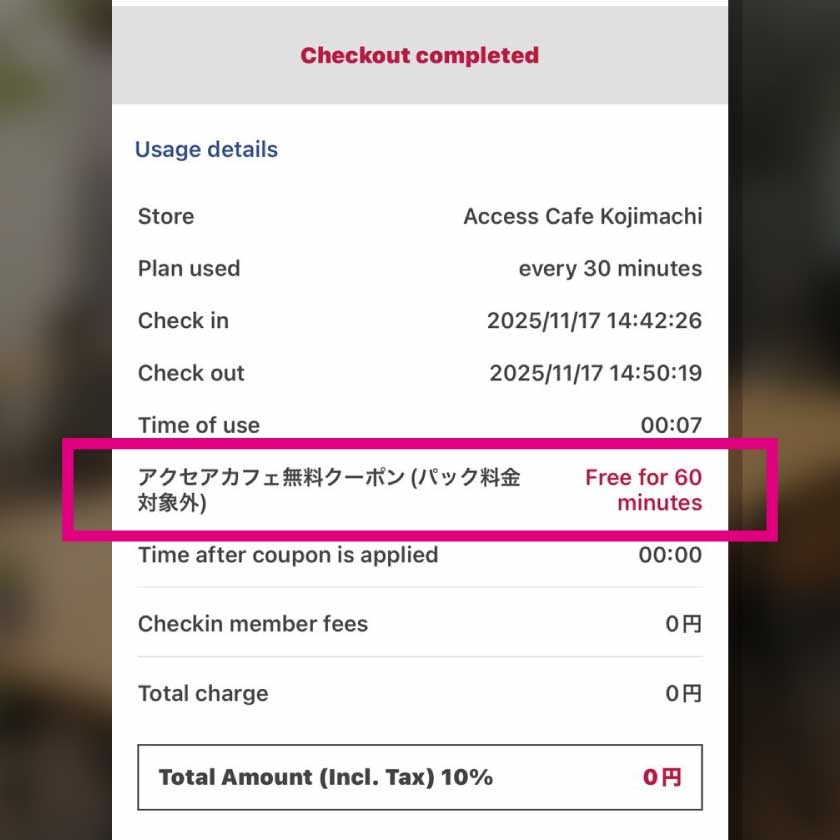
How to Use Coupons
Before Using Coupons
-
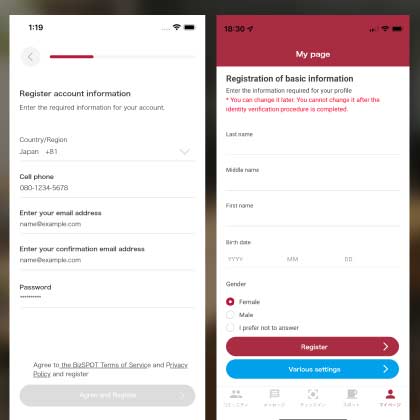 STEP2 Member Registration > Register Basic Information
Go to Member Registration > My Page and enter your basic information.
-
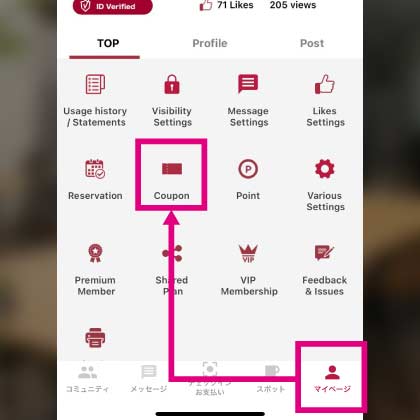 STEP3 My Page > Tap Coupon
Tap "Coupon" on My Page.
-
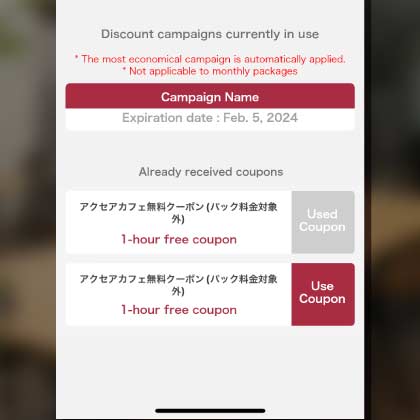 STEP4 Coupon acquisition screen
You can select a coupon on the coupon acquisition screen.

How to use self-copy coupons
-
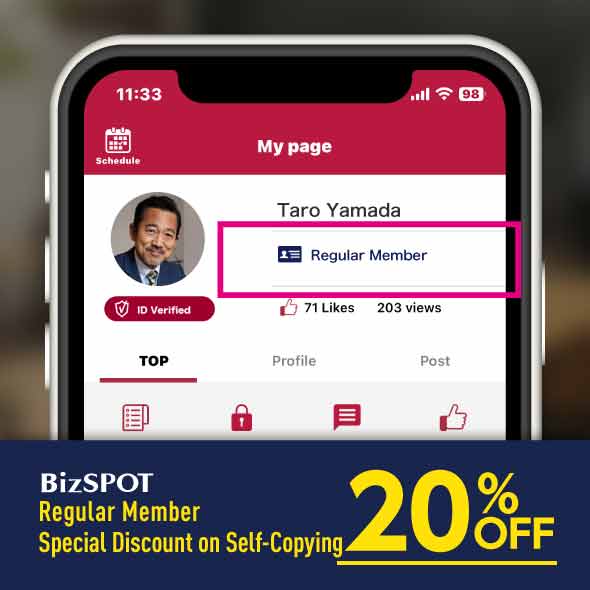 Regular members
Regular members will receive a 20% self-copy special discount.
-
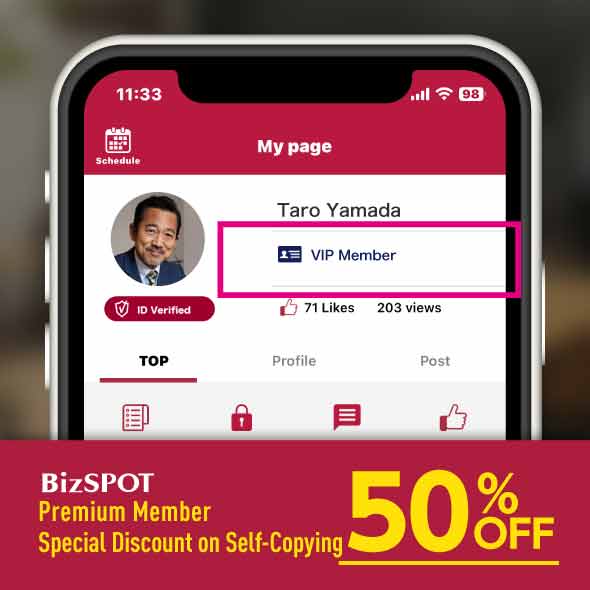 VIP members
VIP members will receive a 50% self-copy discount.
-
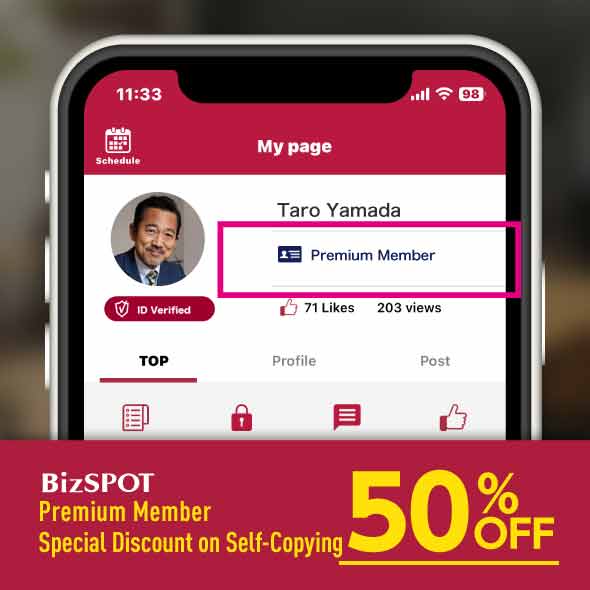 Premium members
Premium members will receive a 50% self-copy discount.
-
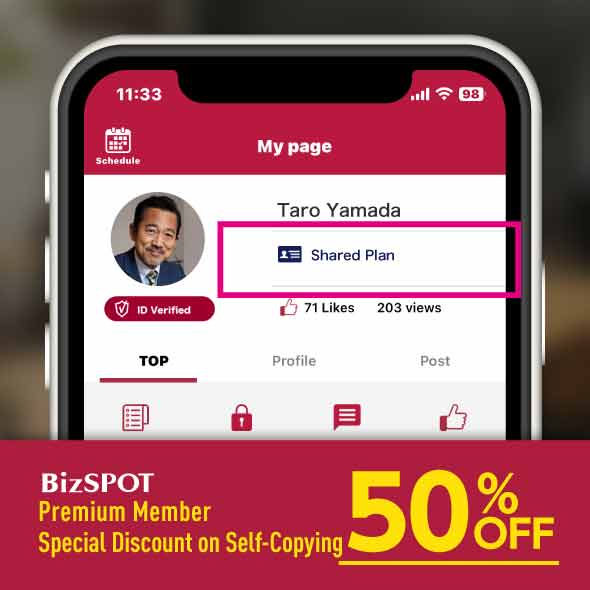 Share Plan members
Share Plan will receive a 50% self-copy discount.
How to obtain a coupon for referring a friend
-
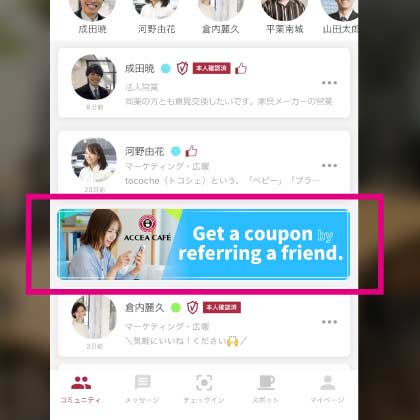 STEP1 Community
(Referrer)Tap the Refer-a-Friend banner in the Community.
-
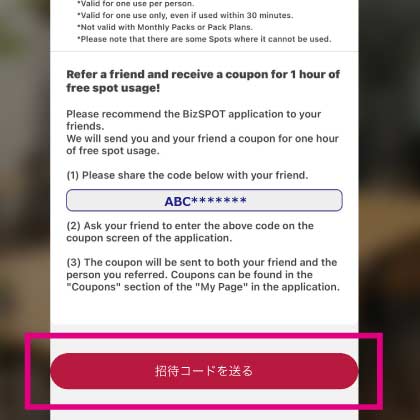 STEP2 Confirm and send the code
(Referrer)The code displayed will be your referrer's code.
Tap "Send Invitation Code" to send the code to your friend. -
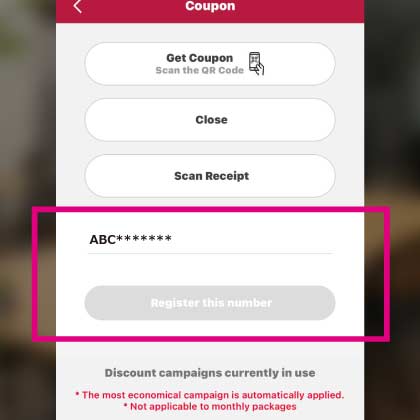 STEP3 Register the referral code
(Friend)Ask your friend to enter the referral code on the coupon screen of the application.
-
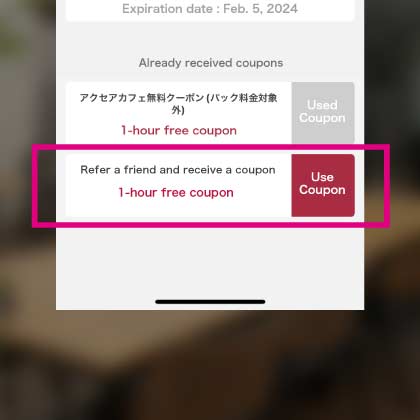 STEP4 Get coupon
(Referrer and Friend)Coupons will be sent to your friend and referrer.
You can check the coupon in the Coupon section of the app's My Page.
QR Code is a registered trademark of DENSO WAVE INCORPORATED.
[Pay In-Store] Receipt Registration & Coupon Usage Guide
-
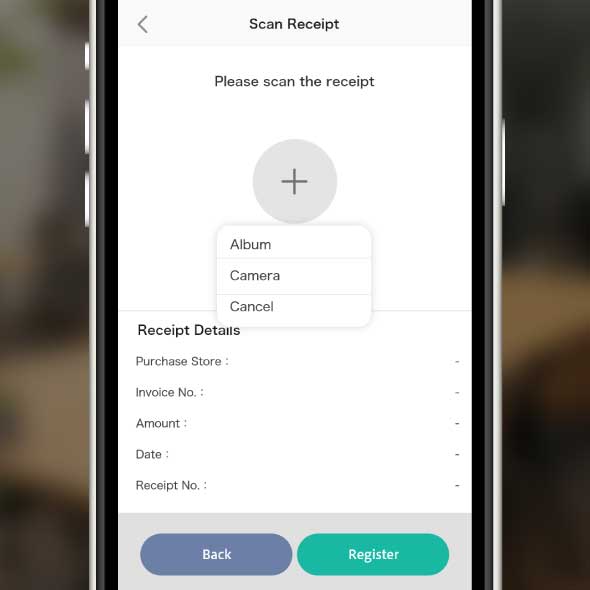 STEP1 Display the receipt scanning screen
Tap "Register Receipt" on the coupon screen in My Page.
-
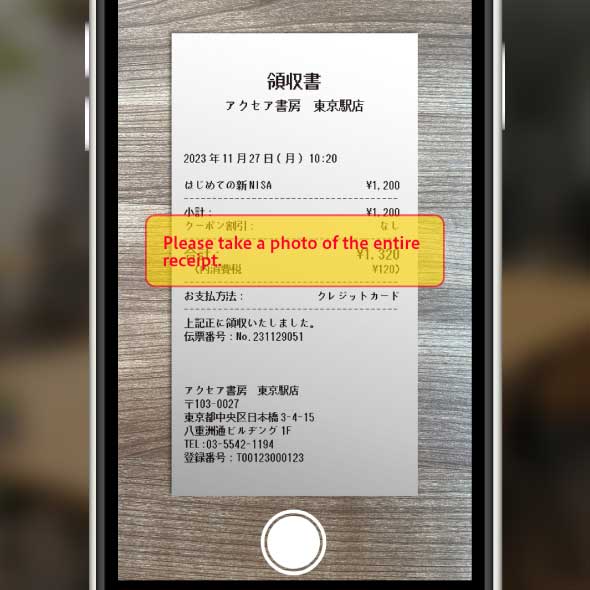 STEP2 Scan the receipt
Please scan the receipt.
You can also upload a digital version of the receipt.
Note: Only receipts with today's date are eligible.
Note: Only receipts for payments made in-store on the same day are eligible. Advance payments, such as online payments, are not eligible. -
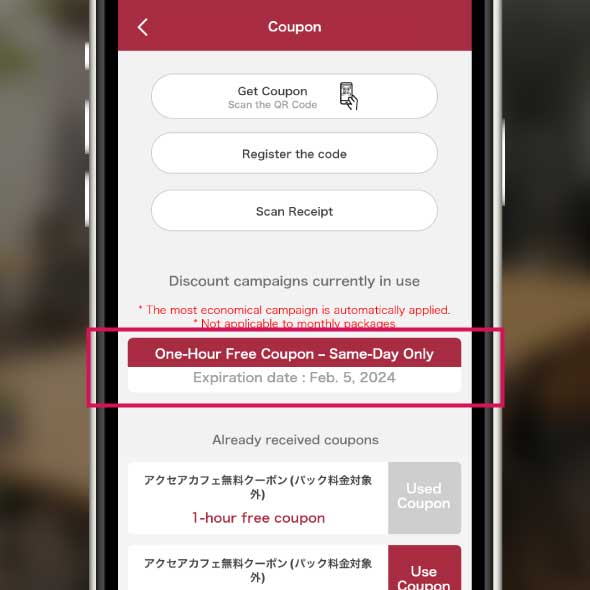 STEP3 Obtain the coupon
A coupon will be issued based on the purchase amount.
The coupon is valid for the same day only. -
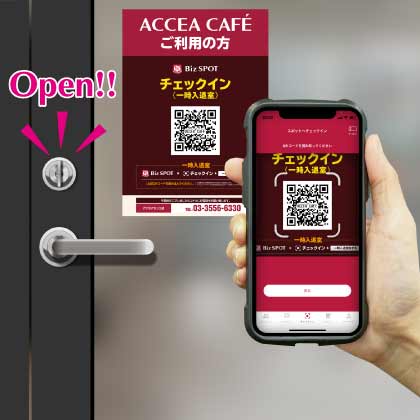 STEP4 Use at ACCEA CAFÉ
Please use the coupon at the ACCEA CAFÉ attached to the store you visited.<
QR Code is a registered trademark of DENSO WAVE INCORPORATED.
[Store Pick-up] How to Claim & Use QR Coupons
When picking up your product, please follow the steps below to get a coupon and use it at Accea Café.
-
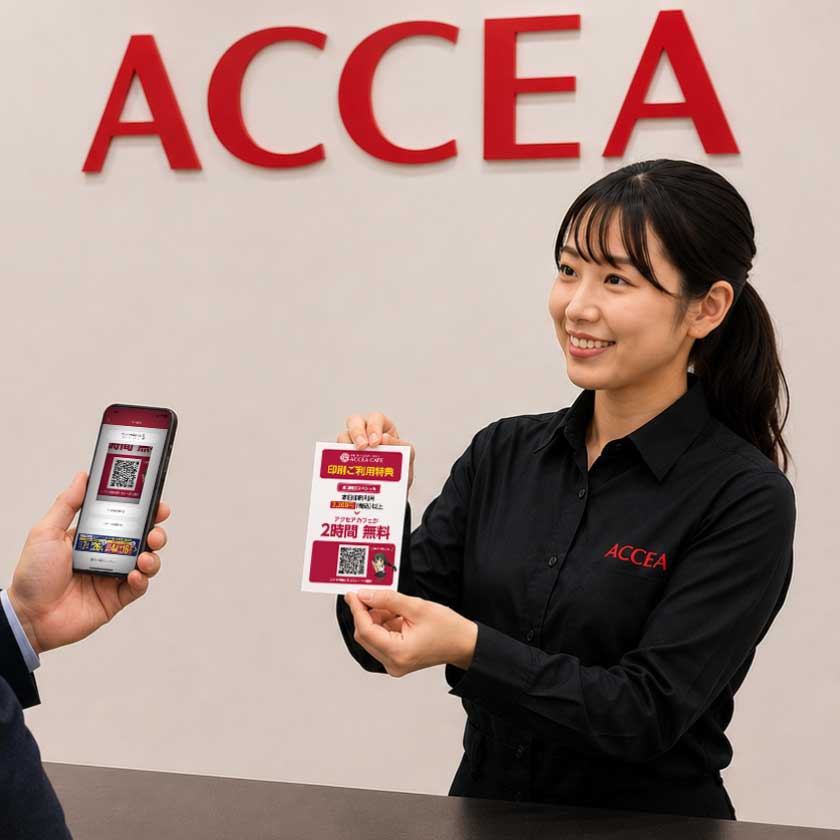 STEP1 Talk to Staff / POP Presentation
When receiving your product at the counter, please tell the staff that you would like to use the print benefit café coupon.
The staff will show you the "Print Benefit POP" corresponding to your purchase amount (1,100 yen / 2,200 yen / 3,300 yen or more). -
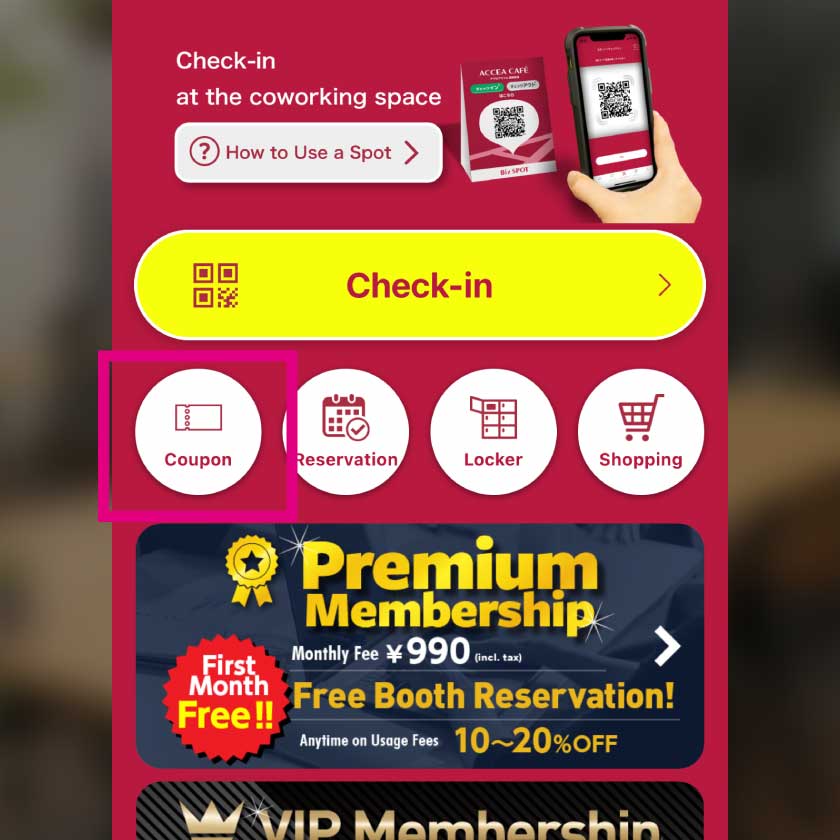 STEP2 Launch the BizSPOT App
Launch the BizSPOT app and tap the "Coupon" icon on the check-in screen.
-
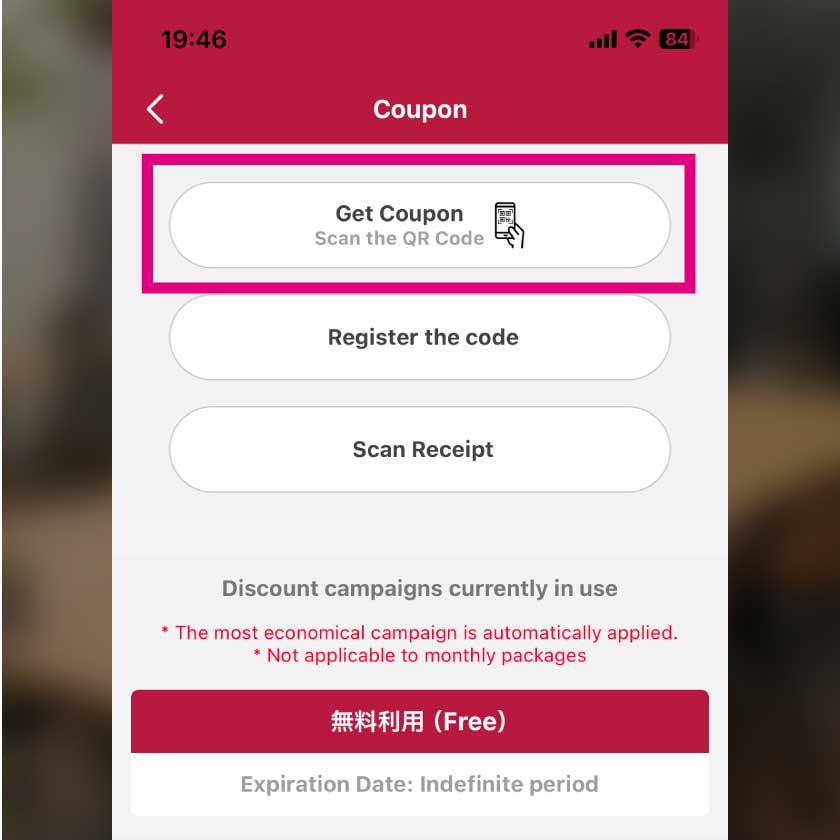 STEP3 Tap the "Get Coupon" Button
On the coupon screen, tap the "Get Coupon (Scan QR Code)" button.
-
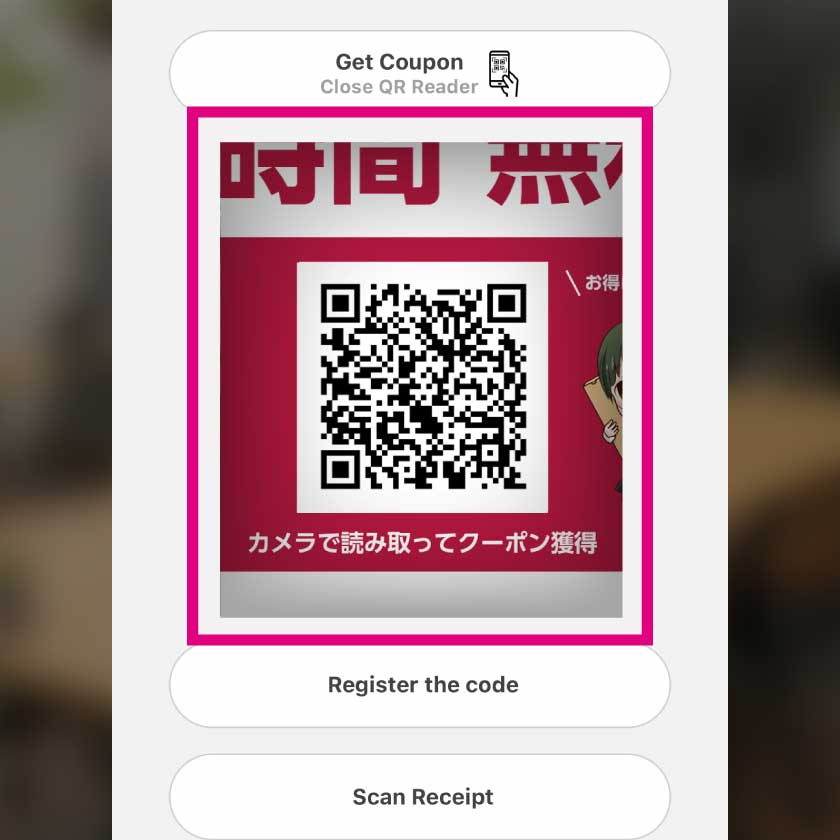 STEP4 Scan the QR Code
The camera will launch. Scan the QR code on the benefit POP to obtain the coupon.
-
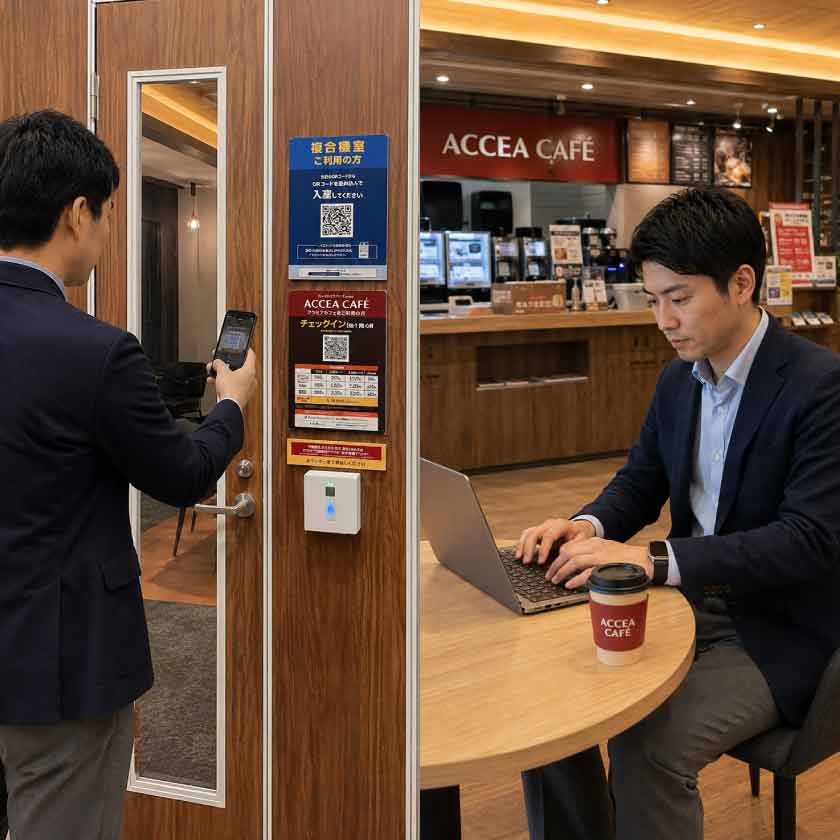 STEP5 Check In at Accea Café
After getting the coupon, scan the check-in QR code at the store as usual to check in at Accea Café.
-
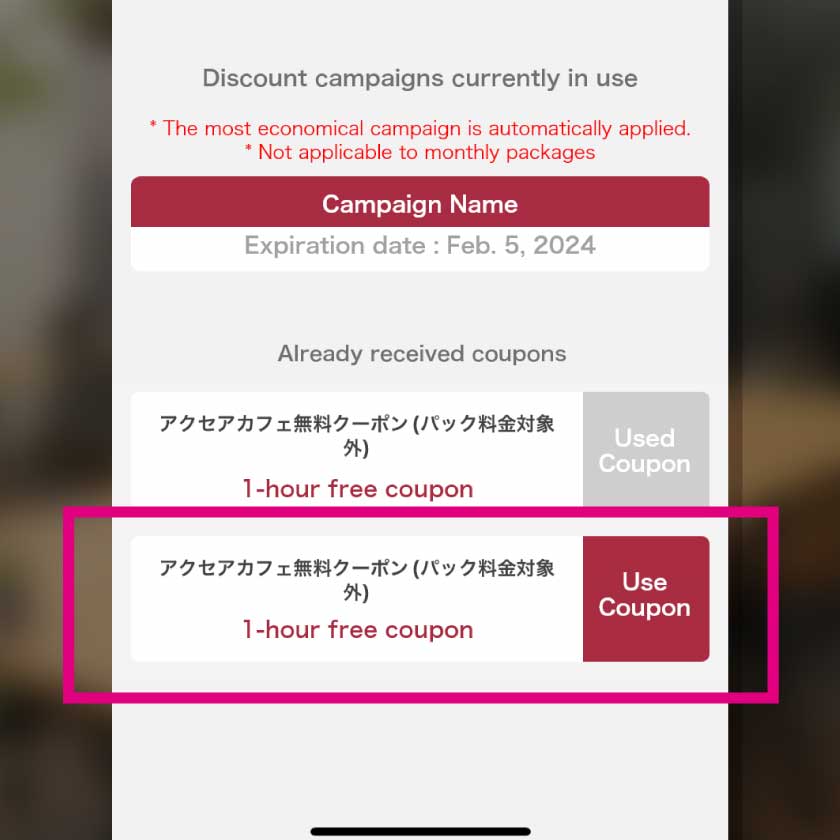 STEP6 Apply the Coupon
On the check-in screen, tap the "Use Coupon" button, select the "Accea Café Free Coupon" you obtained, and tap "Use." Please confirm that the coupon is displayed at the top of the screen.
-
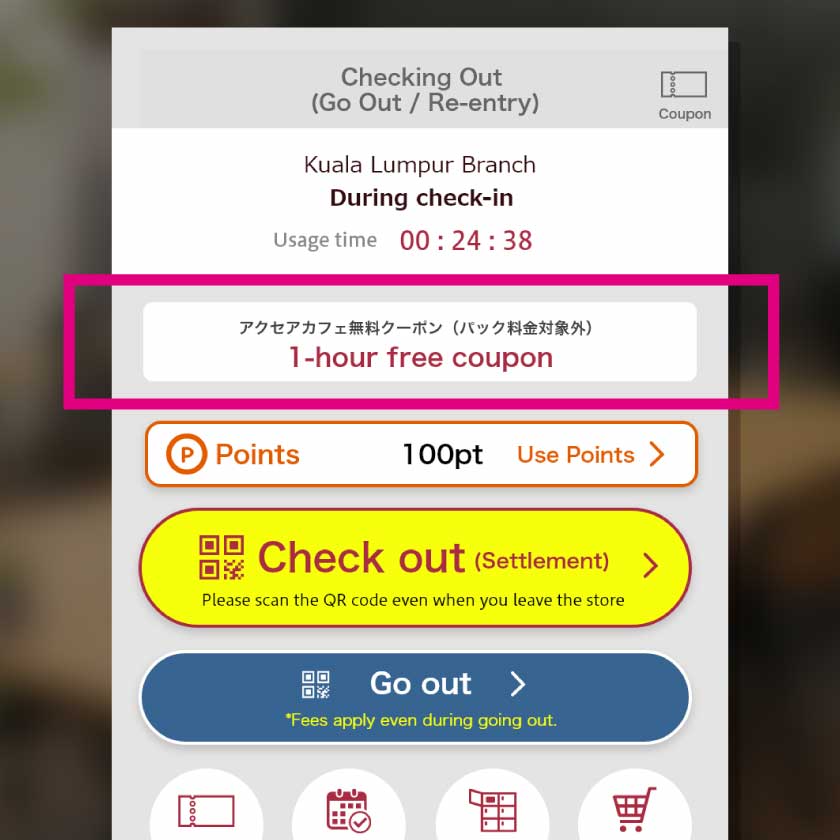 STEP7 Checkout (Leaving the Store)
When leaving the store, please tap Checkout. Payment will be automatically processed at the price with the coupon discount applied.
-